“Chat with your photos” used to be a demo at a developer conference. In 2026 it is a button. Google Photos now has Ask Photos, a Gemini-powered way to search and question your library in plain language, and a growing crowd of apps let you upload one picture and talk to it. Photographers, meanwhile, have started asking a different question of their archives: not where is that photo, but what is this body of work, and which of it is any good?
That second question is what ChatLab, Photoreka's AI photo assistant, was built for. So it is worth being precise about how it compares with Ask Photos, because the two share a verb and very little else. This is not a review of which chat is smarter. It is a map of which questions each one can answer.
What Ask Photos Is (and Isn't)
Ask Photos is Google's conversational layer on top of Google Photos search, powered by Gemini. Instead of typing “beach”, you describe what you want or ask a question, and it answers using what Google already knows about your library: the people in your face groups, places, dates, and what its models see in the frames. According to Google's own help pages and tips, you can:
- Search by describing: “find my photos that feel like spring”, “photos that'd make great phone backgrounds”.
- Ask questions about photos and albums and follow up in the same thread: “what did I eat on my trip to Barcelona?”, then narrow the results down.
- Tap Ask on a single photo to chat about it, identify what is in it (“what flowers are these?”, “what hiking trail is this?”) or find similar photos.
- Edit by describing the change: “can you remove my sunglasses?”.
- Give it facts to use later, through a Remember List.
For complex questions it first shows a page of relevant results and keeps refining them in the background, and you can switch back to classic search at any time. Google is candid that the feature is experimental and can be wrong. There are also practical conditions: it only works on photos that are backed up to Google Photos, it is rolling out to a limited list of countries and languages, it lives in the Google Photos app on Android and iOS, and onboarding asks you to confirm your own face group. A November 2026 teardown by Android Authority found multi-step tasks in testing (search, enhance, create an album and a collage in one request), but Google has not announced them, so treat that as a direction rather than a feature.
The Unit of Work: a Moment vs a Body of Work
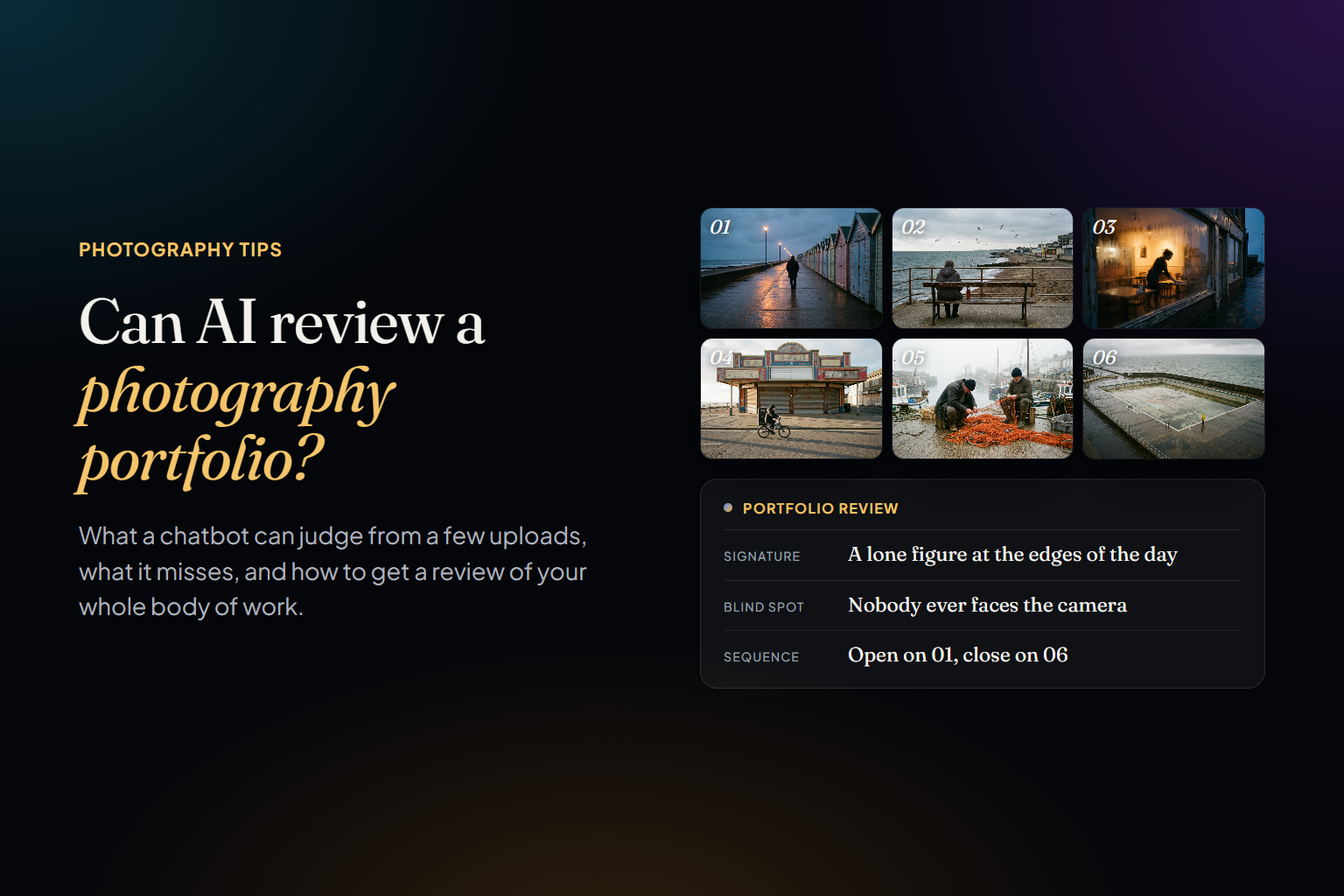
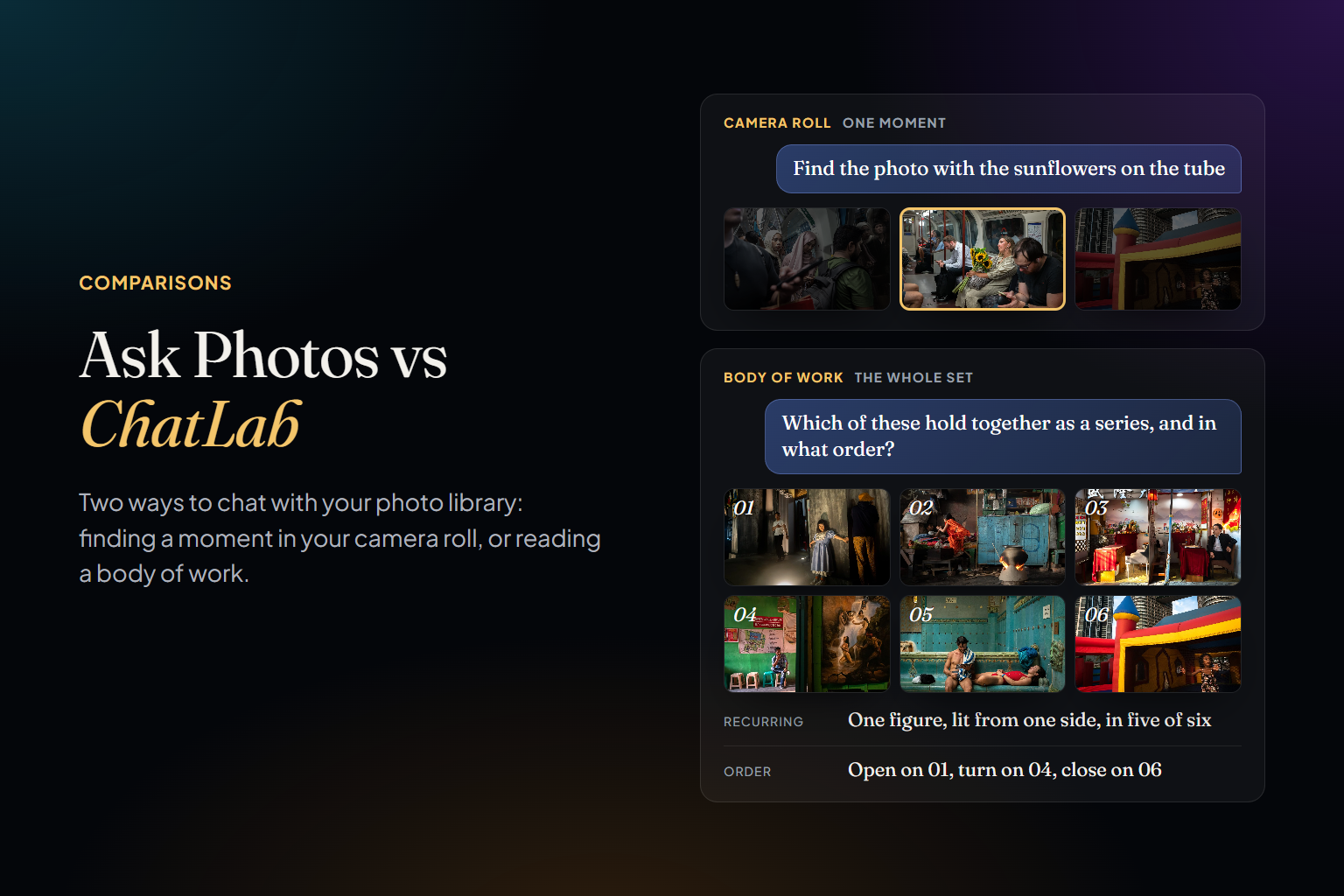
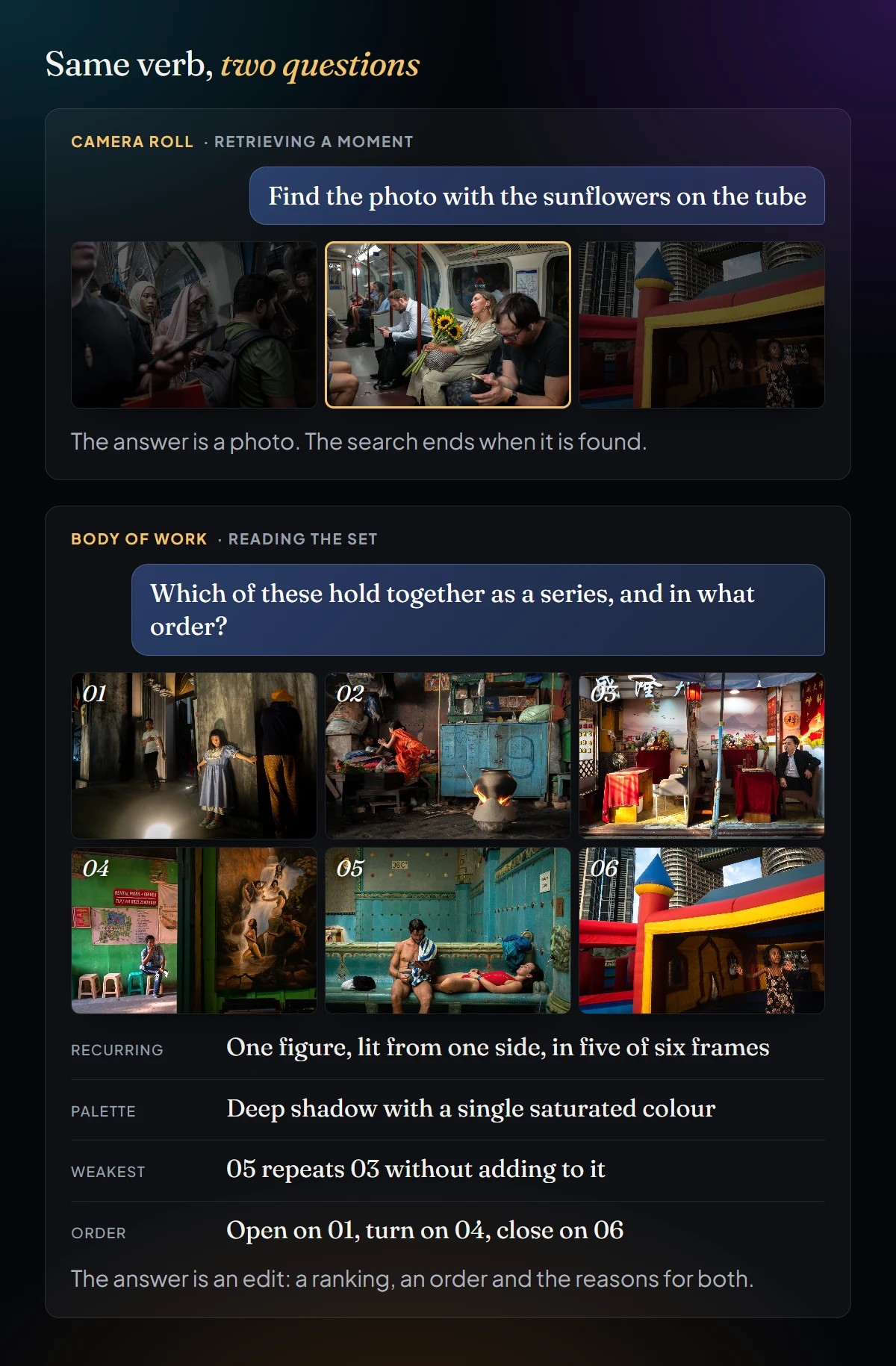
The real difference is not the model behind the chat. It is what each product thinks a photo library is. For Google Photos the library is a record of your life, and the unit is the moment: a trip, a birthday, a person, a dish. Every feature, from face groups to Memories, exists to retrieve moments, and Ask Photos is the most fluent retriever Google has built. For Photoreka the library is a body of work, and the unit is the photographer: the frames you kept, what they say together, where they are strong and where they repeat themselves. We wrote about why that matters in Can AI review a photography portfolio?: a review judges the set, not twenty frames in a row.
That changes what has to be known about each photo before the conversation starts. Ask Photos knows faces, places, dates and what is in the picture. When a photo enters Photoreka it is scored from 1 to 10 on eight artistic criteria (aesthetic quality, composition, storytelling, originality, message, humor, visual games and spontaneity), embedded so it can be found by meaning rather than by label, and placed in relation to every other photo in the catalog. ChatLab reasons over that layer. It can tell you that a frame sits in your top 5% for composition but your bottom half for originality, because that number exists before you ask.
How Deep the Analysis Goes
This is the part that matters most to photographers, so it deserves precision rather than a sales line. Google describes Ask Photos as Gemini understanding “what is happening in each photo”, on top of what Google Photos search already extracts: objects, places, faces and text read from the image. It can pick a “best” photo from a trip or suggest frames for a highlight, but Google publishes no criteria for that choice, shows no score, and does not explain why one frame beat another. User complaints point the same way: the answer is a short curated page of results rather than an account of your work, and a recent teardown describes the current product as “a glorified conversational search bar”. It is very good at the question it was built for, which is retrieval.
Photoreka starts from a different kind of analysis, done on every photo before you ask anything:
- Eight artistic scores per photo, from 1 to 10: aesthetic quality, composition, storytelling, originality, message, humor, visual games and spontaneity. They are stored, so any two photos in your catalog can be compared on any criterion, and a ranking always comes with a stated reason.
- Judgment relative to you. Each photo is judged against the rest of your catalog, not against the internet, which is why ChatLab can say “this is in your top 5% for composition and your bottom half for originality”.
- A semantic index of each image rather than a list of labels, so “the frame where the light went strange” is a valid search and “golden light portraits, but not the ones from the wedding” is a valid filter.
- Catalog-level statistics: which subjects, distances, lighting and palettes dominate your work, and how each has moved year by year.
- Near-duplicate detection, so a review is not distorted by twelve versions of the same moment.
- Sequencing with explicit coherence modes (visual, chromatic, narrative), so “order these for a wall” returns an order with a logic you can argue with.
The practical difference shows up in the answer. Ask a camera roll for your best photo of Lisbon and you get a nice photo of Lisbon. Ask ChatLab and you get the frame, its score on each criterion, how it compares with the rest of the trip, which near-duplicates it beat and why, and an offer to build the sequence around it. One is a search result. The other is the start of an edit.
Side by Side
- Library: Ask Photos works on your backed-up Google Photos library, whatever its size. ChatLab works on a catalog you build in Photoreka from Lightroom Classic, local folders, Google Photos, Google Drive or Dropbox, designed for a body of work of up to 50,000 photos.
- What it knows about each photo: Ask Photos uses faces, places, dates and what Gemini sees in the image. ChatLab uses eight artistic scores, semantic embeddings, metadata and, when a question needs it, the image itself.
- Places: both know where a photo was taken when the file carries GPS, which phone photos always do. Camera and archive photos usually don't, and there Photoreka goes further: Geo Recovery infers the location from the image itself, lets you check each marker on a map and writes the coordinates back into the EXIF, so “my work from the Atlantic coast” is a valid question even for a 2009 DSLR folder.
- Questions it is built for: Ask Photos answers “find”, “what is this” and “edit this”. ChatLab answers “which are my strongest”, “what do I keep repeating”, “how has my work changed since 2022”, “sequence these for a wall”.
- The answer: Ask Photos returns a page of results, refined as you talk, plus a text reply. ChatLab returns text plus a ranked, intentionally ordered set of your photos, where the order itself is part of the answer: a quality ranking, a narrative sequence, a before and after.
- Editing: Ask Photos edits pixels on request. ChatLab does not touch your files; it selects, orders, compares and explains.
- Where it runs: Ask Photos is in the Google Photos app on Android and iOS, in supported countries and languages. ChatLab runs in the browser wherever Photoreka does, and answers in the language you write in.
- Custody: Google Photos already holds your backup, so Ask Photos adds nothing new to hand over. Photoreka works from compressed previews and never asks to become your storage.
- Price: Ask Photos is included with Google Photos. ChatLab is part of Photoreka, which is free to start.
Questions Each One Answers Well
Things to ask Ask Photos
- What did I eat on my trip to Barcelona?
- What themes have we had for Lena's birthday parties?
- Which of these would make a good phone background?
- What is the name of this trail?
- Remove the sunglasses from this one.
Things to ask ChatLab
- Pick my ten strongest frames from the last two years and tell me why.
- What subjects, distances and kinds of light do I keep returning to?
- How has my work changed since 2022, with examples from each year?
- Build a twelve-image sequence for a wall from my Vietnam trip.
- Where is this project weak, and what would an editor ask me to shoot next?
Notice the shape of the two lists. The first asks the library to remember something you once knew. The second asks it to notice something you don't yet know about yourself. Both are legitimate uses of a photo library. They need different machinery, and a search box that understands sentences, however good, is still the first kind.
Where Ask Photos Still Wins
Fairness first. Ask Photos knows who people are; Photoreka does no face recognition. It edits. It handles video; Photoreka is photography only. It works on the whole camera roll, including the frames you would never keep, which is precisely the part ChatLab is not designed for. And it comes with a product you probably already use. If what you want is a better memory, Ask Photos is a better memory.
Use Both
The two are not competing for the same photos. Google Photos is a good home for the camera roll: everything, backed up, searchable by the events of your life. The body of work is a subset of that, the frames you would actually show, and it deserves a different kind of attention. Photoreka connects to Google Photos through Google's own photo picker, so you choose the albums or photos that belong to the work and leave the rest where it is. From then on ChatLab has your catalog and Ask Photos has your life. We explain why that split is deliberate in Culling is not editing.
- Choose Ask Photos if: your photos are a record of your life, they live in Google Photos, and your questions are who, where, when and what.
- Choose ChatLab if: you are a photographer with a body of work, and your questions are which, why, how it has changed and in what order.
- Use both if: Google Photos is the backup, and what is missing is not a memory but a judgment.
Try it on a real catalog
Chat with a photographer's library, no account needed
ChatLab's demo runs on a real body of work: ask for the strongest frames, a sequence or an honest review.
One last thought on the phrase itself. “Chat with your photos” is going to mean more and more things: a chatbot that describes one upload, a search box that understands sentences, an assistant that has read your whole archive. They are not rungs on one ladder; they are answers to different questions. The useful move is to know which question you are asking. If it is “where is that photo”, you already have the right tool. If it is “what is this work, and which of it is good”, that is what chatting with your photo library in Photoreka is for.