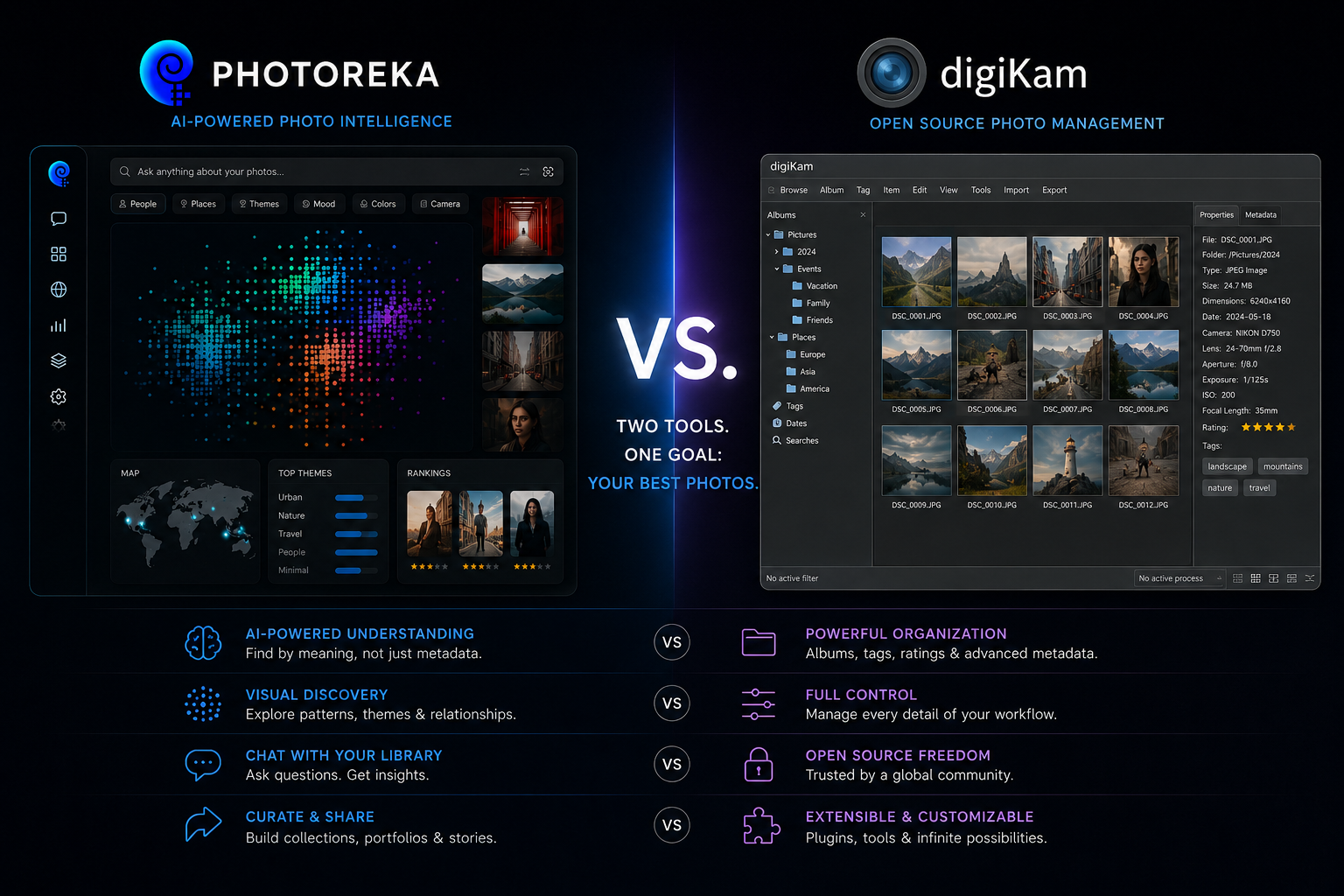
Let's be clear about what we're comparing against: digiKam is remarkable. Twenty years of development, fully open source, free forever, running natively on Windows, macOS, and Linux, with a real database behind it, RAW support, video, geotagging, face recognition, a batch queue manager, and metadata written straight back into XMP sidecars so nothing is ever locked inside a proprietary catalog. If your requirement is own your archive completely, pay nothing, depend on no company, digiKam has no serious rival.
So this article isn't going to argue that digiKam is bad software, because it isn't. It's going to argue something narrower and, we think, more useful: digiKam is a cataloging tool, and cataloging is not curation. Once you see where that line falls, it becomes fairly obvious which of the two solves your actual problem — and why plenty of photographers end up using both.
What digiKam Does Well
An honest comparison starts here. digiKam's core strength is being a complete, self-hosted digital asset manager: SQLite or MariaDB under the hood, hierarchical tags, ratings, color and pick labels, versioning, and a metadata engine that survives you switching software. Its AI features have come a long way, too — recent versions do face detection and recognition with an ensemble classifier, auto-tag assignment powered by YOLOv11 and EfficientNet models, and an Image Quality Scanner that flags images by blur, noise, exposure, and compression. The 9.x line even adds natural-language search built on a local LLM, so nothing leaves your machine.
If your priority is a free, offline, open-source catalog you fully control — no cloud, no account, no vendor — and your daily problem is filing and retrieving photos by people, dates, places, and keywords, install digiKam. It's excellent at that job and we'd never suggest otherwise. The rest of this article is about a different job.
Where the Walls Are
Every wall below follows from the same architectural decision: digiKam's intelligence lives in the database. Everything it knows about a photo has to become a tag, a label, or a field first — and whatever can't be written into a field, it can't know.
- Auto-tagging produces labels, not understanding. Object detection returns 'dog', 'car', 'person', 'beach'. It will never return 'the loneliness of a bus station at 6am', because that isn't a class in a detection model.
- Natural-language search compiles to metadata filters. digiKam's LLM search is genuinely clever, but it translates your sentence into structured criteria — dates, ratings, labels, keywords — and runs it against the database. It can only ever find what someone, or something, already recorded.
- Image quality is technical, not artistic. The Quality Scanner measures blur, noise, exposure, and compression. It can tell you a frame is sharp. It cannot tell you it's good.
- One database, one machine. The catalog lives on a specific computer. Sharing it across machines means shared storage, a MySQL/MariaDB setup, and maintenance you now own.
- It organizes; it doesn't curate. There's no scoring across artistic dimensions, no portfolio sequencing, no conversational review of a body of work, no view of the whole archive as a single space.
- The learning curve is real. digiKam's density is the price of its power, and plenty of photographers bounce off it before that power pays off.
Photoreka's Different Starting Point
Photoreka doesn't try to be a better database — it deliberately isn't one. It's an intelligence layer that sits on top of the files you already have, wherever they already are.
1. Meaning instead of labels. Every photo becomes an embedding: a numerical description of composition, light, palette, subject, and mood. Search runs against that meaning, so a frame nobody ever tagged still surfaces for the right query.
2. Browser-based, nothing to install or maintain. It runs on Windows, Mac, and Linux, and connects to Lightroom Classic (via an official plugin), Google Photos, Dropbox, and local files. Analysis happens in the cloud from compressed previews; your full-resolution originals never leave your machine.
3. Curation is the destination, not a feature. Organizing is step one. Photoreka is built for what comes after: scoring, choosing, ranking, and sequencing the work that matters.
digiKam answers 'where is it, and who's in it?'. That's retrieval. The question that decides whether a body of work goes anywhere is 'which ones — and in what order?'
Feature by Feature
Search
digiKam offers keyword search, a powerful advanced-search builder, similarity search, and now local-LLM natural language search — all of it ultimately resolved against database fields. Photoreka's search runs against the image itself, in three explicit modes: Broad (pure embedding similarity, for moods and styles), Adaptive (expands cultural references like 'Blade Runner-inspired' into their implicit visual vocabulary), and Precise (a logical inference layer that verifies each result against your conditions — 'exactly three people, one looking away' means exactly that). There's no query length limit, so a long, specific description isn't silently truncated.
The practical difference is simple: in digiKam, a photo you never tagged is a photo you can't find by description. In Photoreka, nothing needs tagging first — the archive becomes searchable the moment it's analyzed.
Quality Scanning vs. Artistic Scoring
This is the sharpest contrast between the two tools. digiKam's Image Quality Scanner assigns pick labels based on measurable defects — blurry, noisy, badly exposed, over-compressed. That's genuinely useful for a first culling pass. Photoreka's scoring asks an entirely different question, and keeps the dimensions separate: aesthetics, composition, narrative strength, originality, visual games, humor, candidness, plus subject clarity and commercial intent for commercial work. A technically flawless photograph can score badly, and a slightly soft one can score brilliantly — which is exactly how editors actually choose.
Beyond Organization
Here the two products stop overlapping altogether. Photoreka includes a portfolio builder that selects and sequences 10–40 images under coherence constraints (visual, chromatic, narrative), a conversational assistant that can critique your portfolio and track how your work evolves, style and pattern reports, and a 2D/3D atlas that renders your entire archive as a navigable space instead of a scrolling grid. digiKam has no equivalent to any of these, because none of them were ever part of what a DAM is for.
Where digiKam Still Wins
Fairness requires this section, and here it's a long one. digiKam is free and open source — no per-batch cost, no account, no company that can change its mind. It processes everything locally, which is decisive if cloud analysis is a hard no for you. It handles video; Photoreka is photography-only. It does face recognition and named-person management, which Photoreka doesn't. It edits RAW files, runs batch conversions, writes metadata back into your files, and watches folders continuously rather than working in analysis batches. If any of those are load-bearing in your workflow, no amount of semantic search replaces them.
They're Not Really Competing
The most honest conclusion we can offer is that many photographers shouldn't be choosing at all. digiKam is a great system of record: it owns the files, the tags, the faces, the backups, the metadata that has to survive the next twenty years. Photoreka is a thinking layer: point it at those same photos to find what you can't put into keywords, score a body of work across artistic dimensions, and build a sequence out of it. Neither one moves your originals. Neither one asks you to migrate anything.
- Choose digiKam if: you want free and open source, everything must stay offline, you need video, RAW editing, or face recognition, and your problem is filing and retrieving photos reliably.
- Choose Photoreka if: you'd rather search by meaning than by tags you'd have to write first, you need artistic scoring instead of technical quality flags, or your real goal isn't organizing the archive — it's curating it.
- Use both if: digiKam is already your catalog and what you're missing isn't storage or metadata but judgment — which photographs are strongest, what they say together, and in what order they should be seen.
Try Photoreka's demo — nothing to install
Semantic search, artistic scores, and the 3D Atlas on a real catalog, straight from the browser.
One last note on philosophy. digiKam's twenty-year bet — that photographers should own their catalog, their metadata, and their files outright — is a bet we agree with, which is why Photoreka never moves or takes custody of your originals either. Where we differ is on what an archive is for. A perfectly tagged catalog is still a beautifully organized pile of photographs. Organization is the floor. Curation is the point.