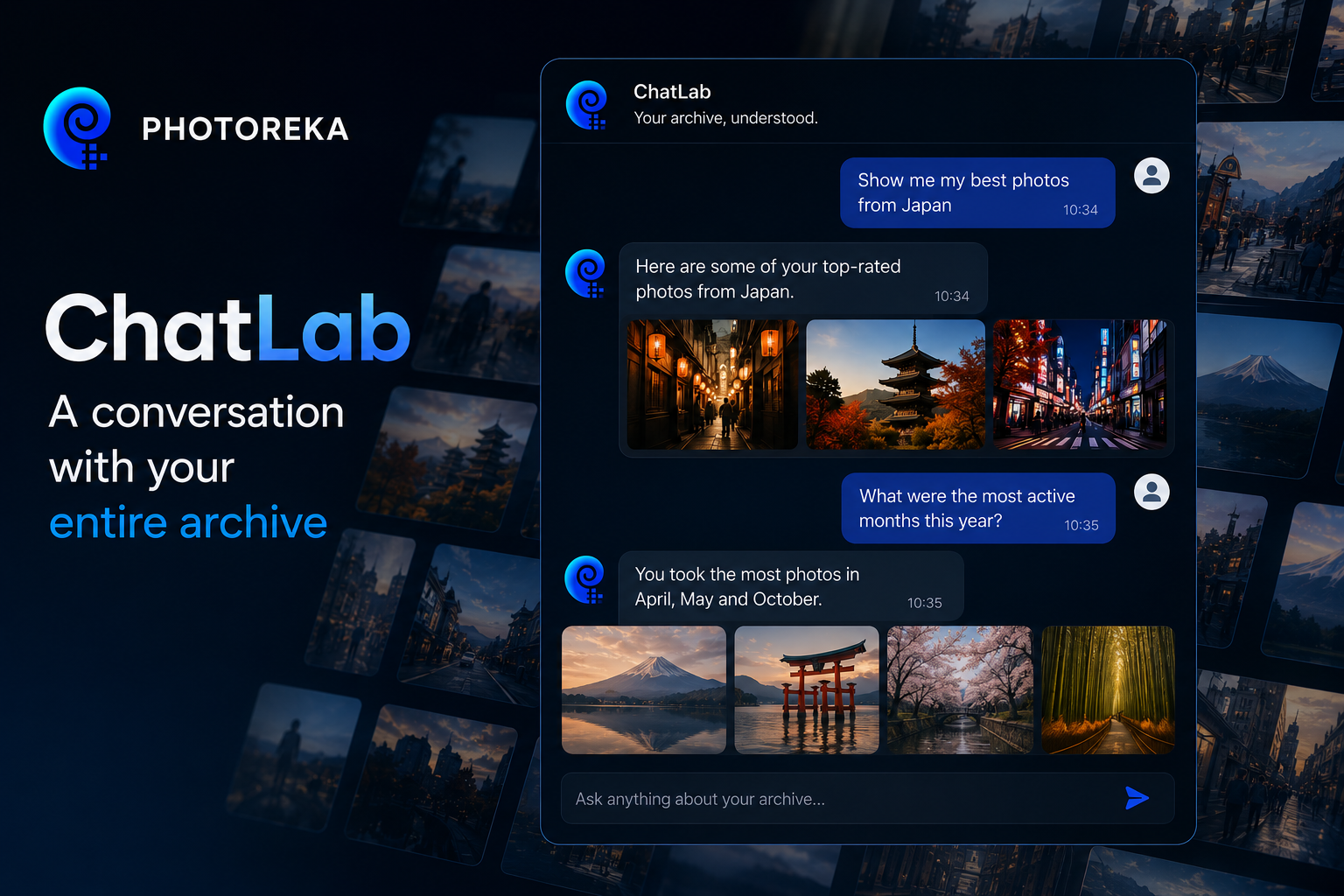
There are questions no photo search engine has ever been able to answer. “What does this archive say about me as a photographer?” “Where am I repeating myself?” “Which of my photos from this year could stand up in a serious competition?” These aren't searches: they have no keywords and return no ranked list. They're questions about the whole body of work—and until now, the only intelligence capable of answering them was another photographer with hours to spare and your entire archive in mind.
ChatLab was born from a very specific need: we wanted to talk to an entire catalog—not just one photo, but a complete body of work. And when we looked for someone already doing it, the surprise was: nobody was. Yes, some chatbots can describe a single image quite well; none knows your catalog, your style, or your evolution. So we built it inside Photoreka, on the same architectural principles that power modern AI agents: frontier models, RAG, and a solid toolkit.
An Archive Is a Whole, Not Just a Folder of Files
The core idea is easy to state: your style is not contained in any single photo. It is an emergent property of the collection—it lives in what you keep repeating without realizing it, in how your palette has changed over three years, in the distance between what you think you photograph and what you actually photograph. None of that is visible from the local perspective of traditional tools: one photo, one folder, one search at a time.
ChatLab works across your entire catalog. It can measure proportions (“Do I photograph more men or women?”), trace your evolution over time, read clusters and imbalances that no individual image contains, and combine all of that with the artistic scores assigned to each photo. It doesn't answer with impressions—it answers with your entire archive in hand.
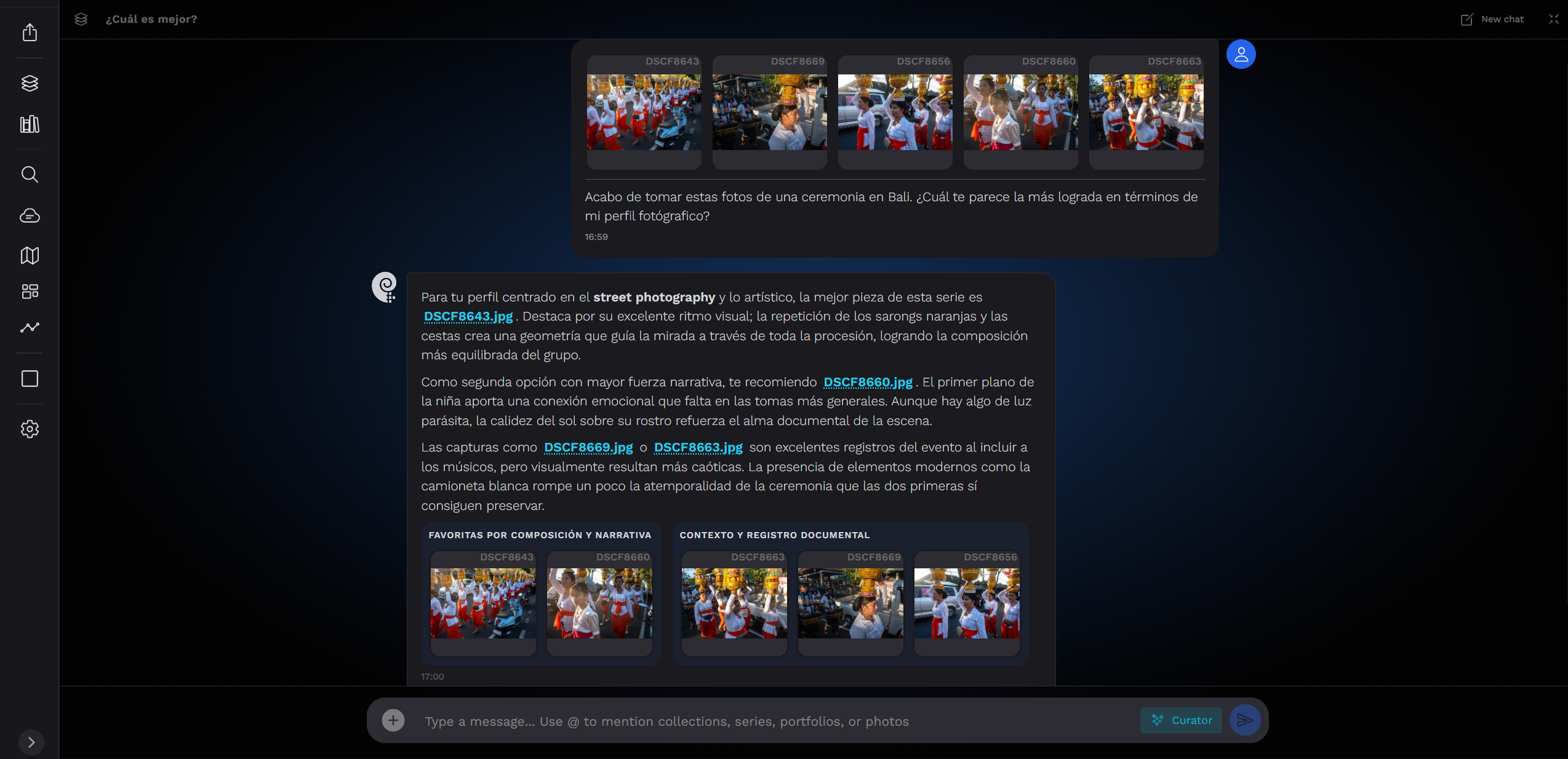
What You Can Ask It
- Compound curation: “my best vertical black-and-white photos with elderly people, ranked by composition.” A single sentence combining semantic search, tags, filters, and ranking—things that normally live across four different screens.
- Collection-wide questions: “What subjects dominate my archive?”, “Do I have more motorcycles or cars?”, “Which year was I the most daring?”
- An outside perspective: “Look up this year's categories for award X and tell me which of my photos fit.” The agent searches the web and turns the criteria into a search across your catalog.
- Revealing contradictions: “Photos that make a strong first impression but say nothing”—high aesthetics, low narrative. Or the opposite: hidden gems that score highly on storytelling but usually go unnoticed.
- Critique with the photo in front of it: attach an image and ask for an honest reading—or ask it to find its sisters by palette, narrative, or visual similarity.
One Catalog, Two Ways of Seeing It
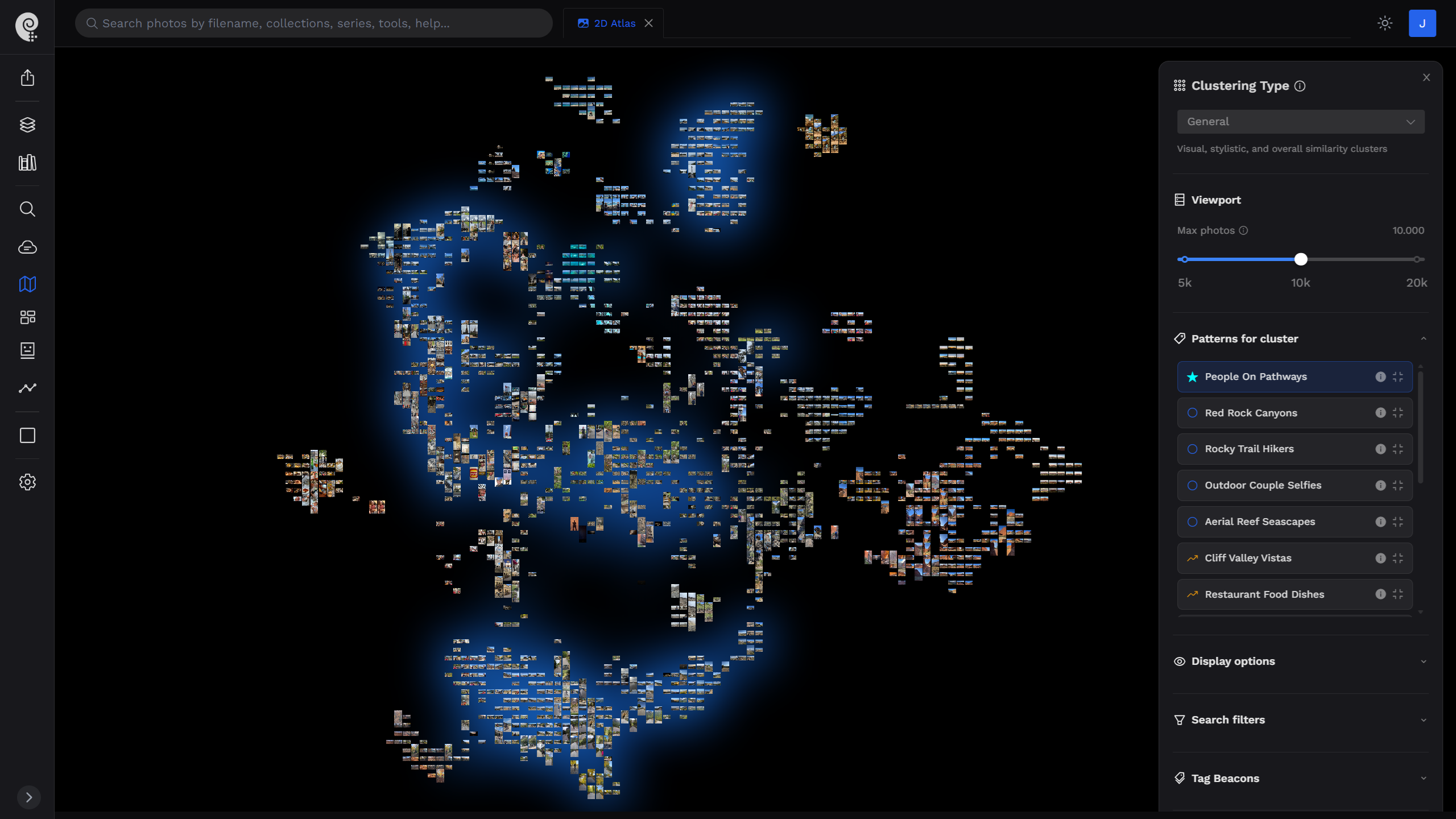
This idea of treating an archive as a whole isn't unique to ChatLab: it's the principle that organizes all of Photoreka, and the 2D/3D Atlas is its most visual expression. The Atlas turns your catalog into a navigable map—a universe of points where similar images cluster together and different ones drift apart—allowing you to see the overall shape of your work at a glance: where it concentrates, where the gaps are, what clusters exist. That same map is one of the spaces ChatLab can explore on your behalf when you ask about the archive as a whole. But the chat goes further: beyond the spatial view, it combines tags, scores, temporal evolution, and even web information when needed, then answers with a judgment built from all of that—not just by pointing at a region of the map.
How It Works Under the Hood
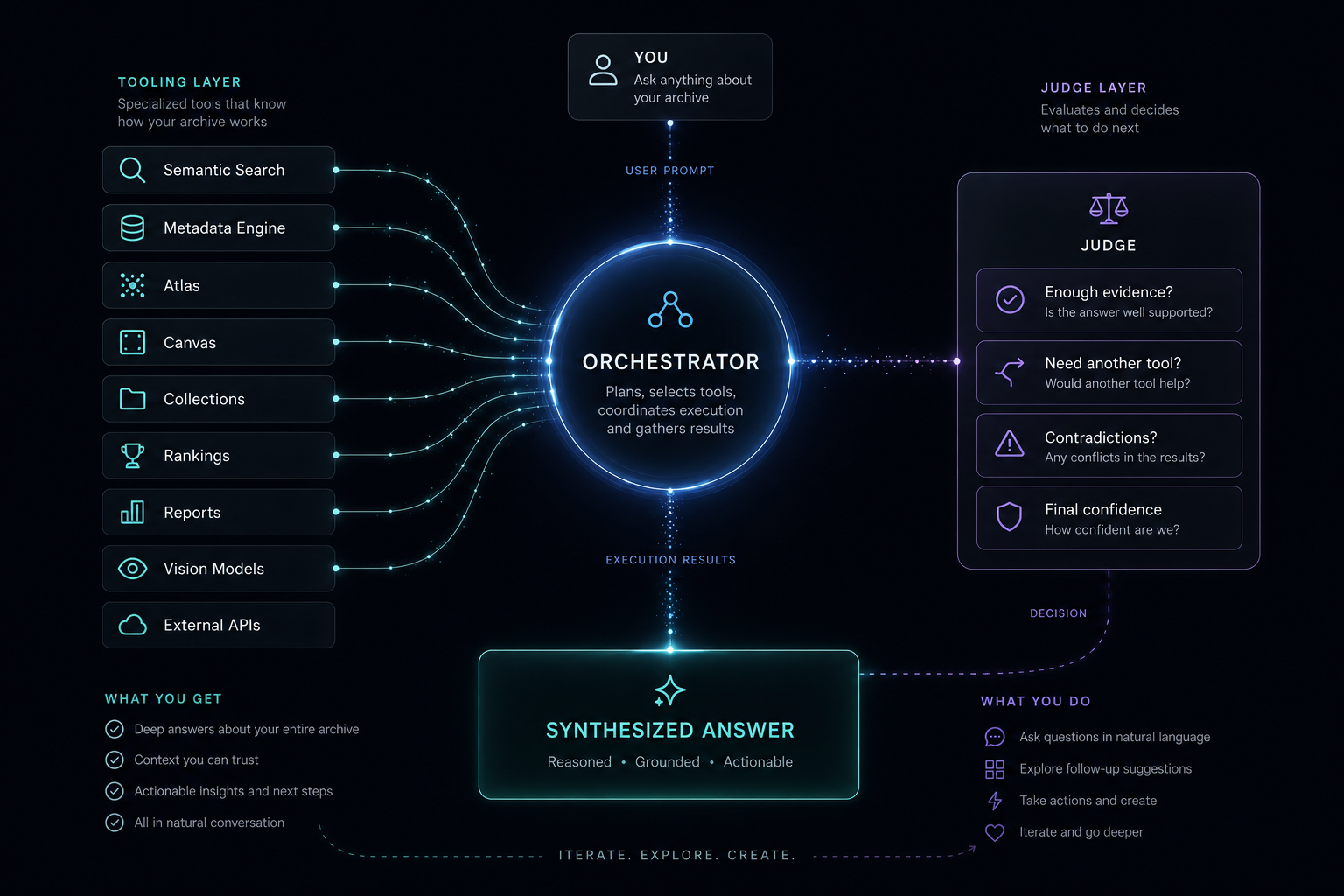
Internally, ChatLab works in two stages: first it gathers evidence, then it judges. In the first stage it has access to the same arsenal of tools you would use through the interface—semantic search, tag filters, patterns and clusters, scoring, even web search—and combines them, sometimes in parallel and sometimes sequentially, until it has solid evidence to answer your question. A real example: for “my best vertical black-and-white photos with elderly people, ranked by composition”, it combines semantic search by subject and composition, filters by orientation and palette, and a final ranking by score—three different tools, one answer.
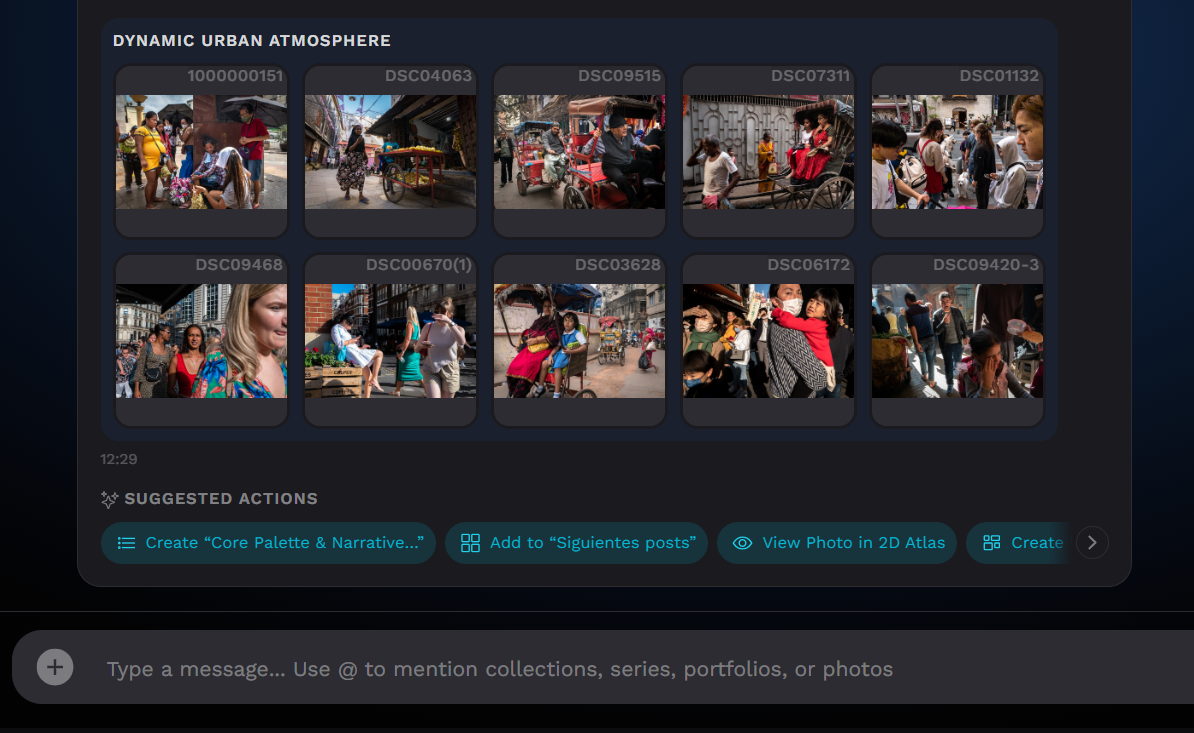
Once the evidence is on the table, the second stage begins: a frontier model with visual capabilities examines the actual photos—not just their data—compares them side by side, and writes the final answer, grouping the results and giving each selection a meaningful name. It only talks about photos that those tools have genuinely returned, so if nothing matches, it simply says so.
An Eye That Adapts to Your Style
A good editor doesn't judge a documentary essay the same way as a commercial portfolio—and neither does ChatLab. Its criteria adapt to each photographer's profile: in street photography it gives more weight to spontaneity, visual play, and originality; in documentary work, to message and narrative; in commercial photography, to subject clarity and intent. And the stored scores are only a starting point, not the verdict: each photo was originally evaluated in isolation, and side-by-side comparison is exactly what the conversation adds.
The Chat That Orchestrates Everything Else
Building assistants for other products taught us a lesson that keeps repeating itself: when a dashboard has a chat, users eventually gravitate toward the chat. The same happens with ChatLab, and it makes sense—it can do, to a large extent, almost everything you'd do in a photo organizer: search, compare, group, analyze. To be fair, there are limits: each response can only cover so much, and every conversation consumes frontier-model tokens, so for large-scale exploration the dedicated tools—Search, the Atlas, the Workspace—remain more efficient and, above all, give you greater control. But its role as the orchestrator of the entire organizer is undeniable.
That orchestration goes both ways. Outward: beneath every response you'll find one-click actions—create a collection using the name the curator already suggested, turn a group into a series, send the selection to another tool—all with your confirmation. Inward: ChatLab uses the exact same tools available through the interface—the same search, the same patterns, clusters, tag distribution, and scoring. It isn't a chat built on top of Photoreka: it's built from Photoreka.
A search engine gives you what you ask for. A curator argues with you about what you ask for. That difference—between a list of results and judgment—is what ChatLab is here to provide.
It doesn't modify your library on its own: every action requires your confirmation. It works with limited selections (around 20 photos per response): a carefully considered starting point, not a full inventory. And its interpretation is a second opinion, not the final word—the best curation emerges from the collaboration between the system and your own eye.
What's Next
ChatLab is growing rapidly. New tools for the agent are on the way, and we're exploring a multi-agent approach that will allow it to 'see' far more photos in a single conversation: multiple curators examining different regions of the catalog in parallel and combining their insights. The direction is clear: every month, the chat gets to know your archive a little better.
Talk to a Real Photo Catalog
The demo includes ChatLab running on a real photographic archive: ask questions, request curated selections, challenge its answers.
We don't promise magic. We promise something rarer: a conversation partner that knows your entire archive, actually looks at your photos, and turns every answer into real work inside the application. That conversation didn't exist before—and it's the one we'd wanted to have with our own archive for years.